Latest
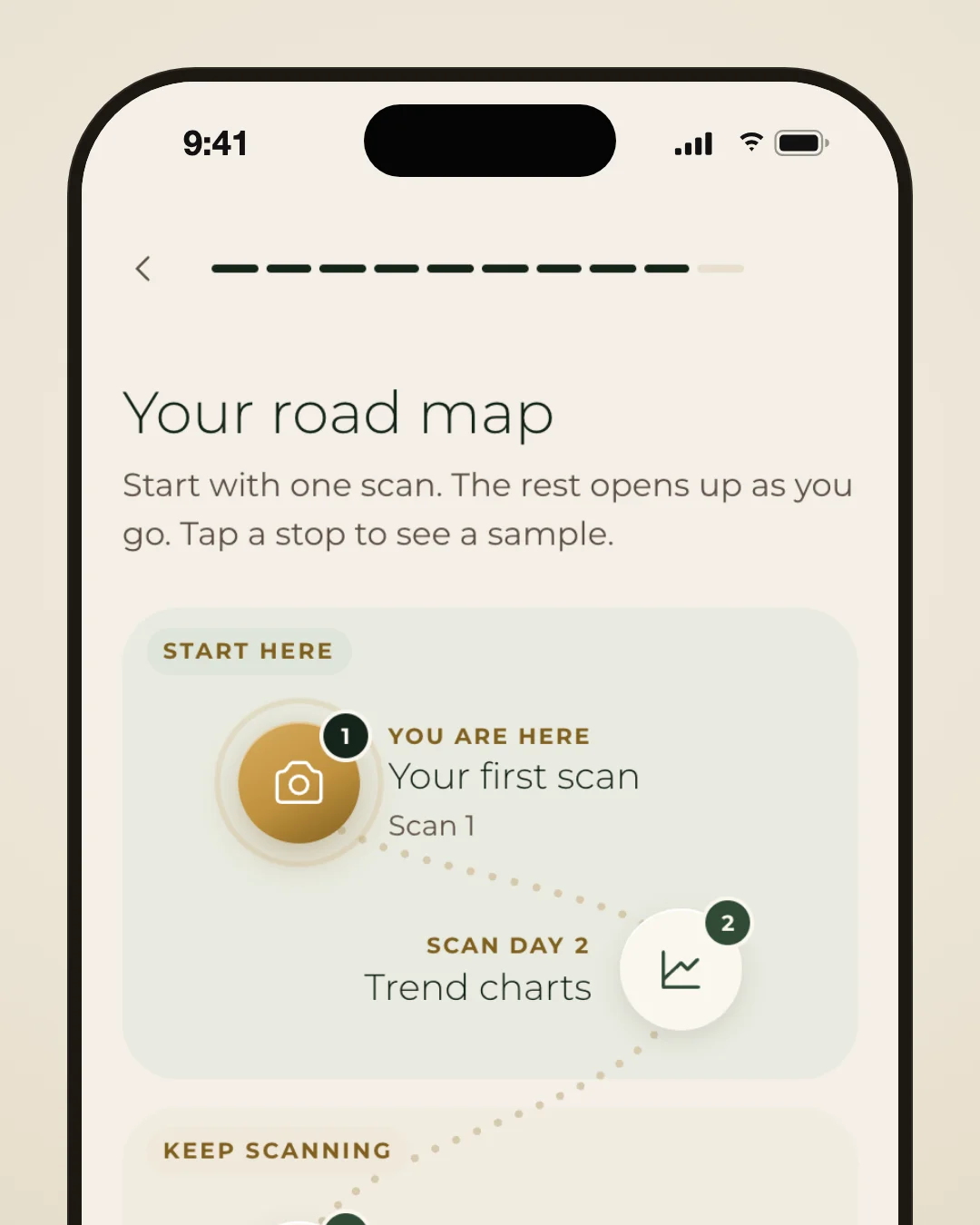
NewSee your road map in onboarding
Onboarding now ends on your road map: numbered stops from your first scan to trend charts, weekly and monthly reports, your routine and more, each with when it opens. Tap any stop to see a sample of what it unlocks before you have the scans for it.
Also this week
- NewLumi now remembers your small details. From the ingredients that your skin reacts to or a brand you want to avoid to mascara you wear every day.
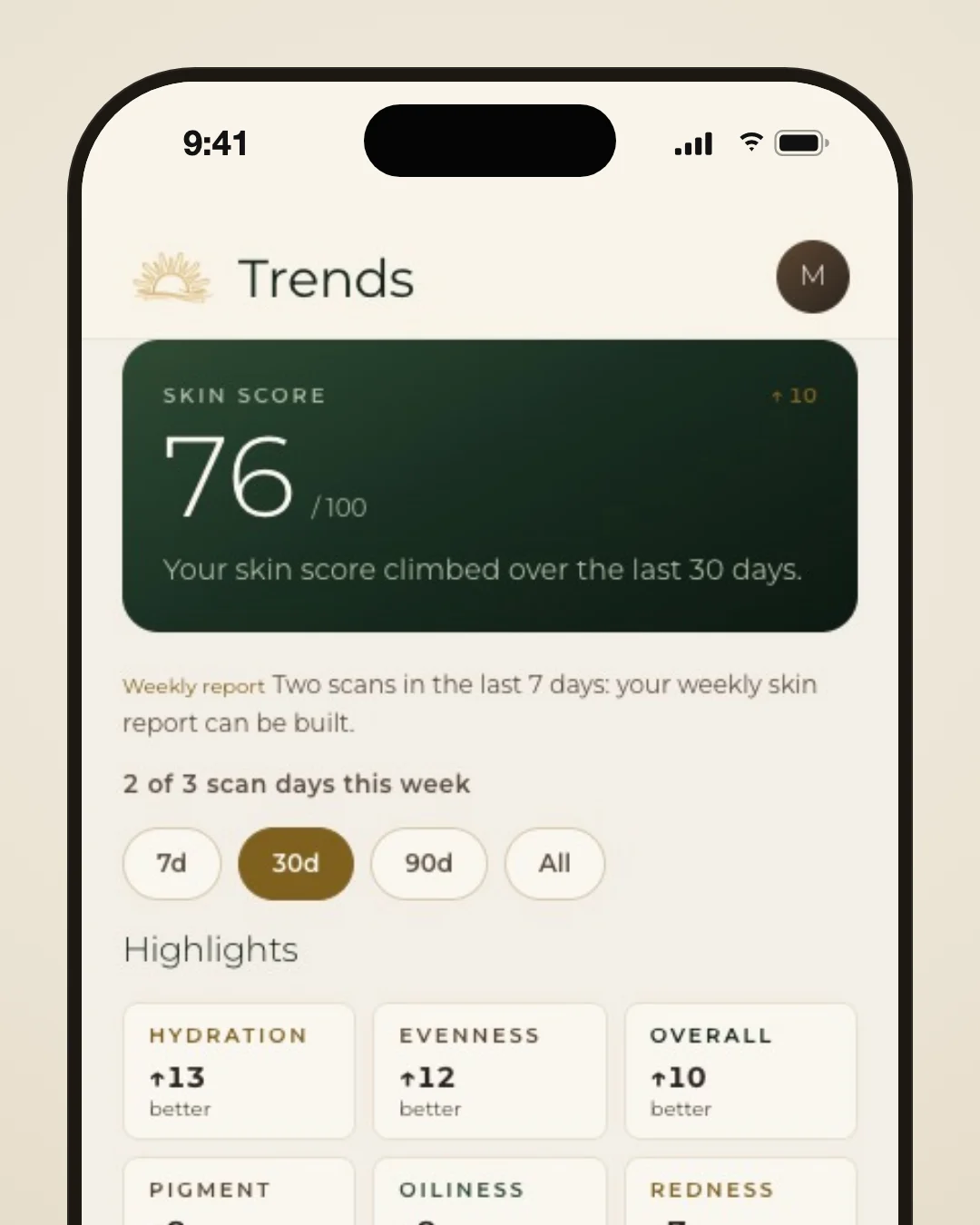
- ImprovedYour skin score on Trends now reads against four zones, Building, Steady, Strong and Excellent, with a pointer marking where your score sits and the zone named beside the number.
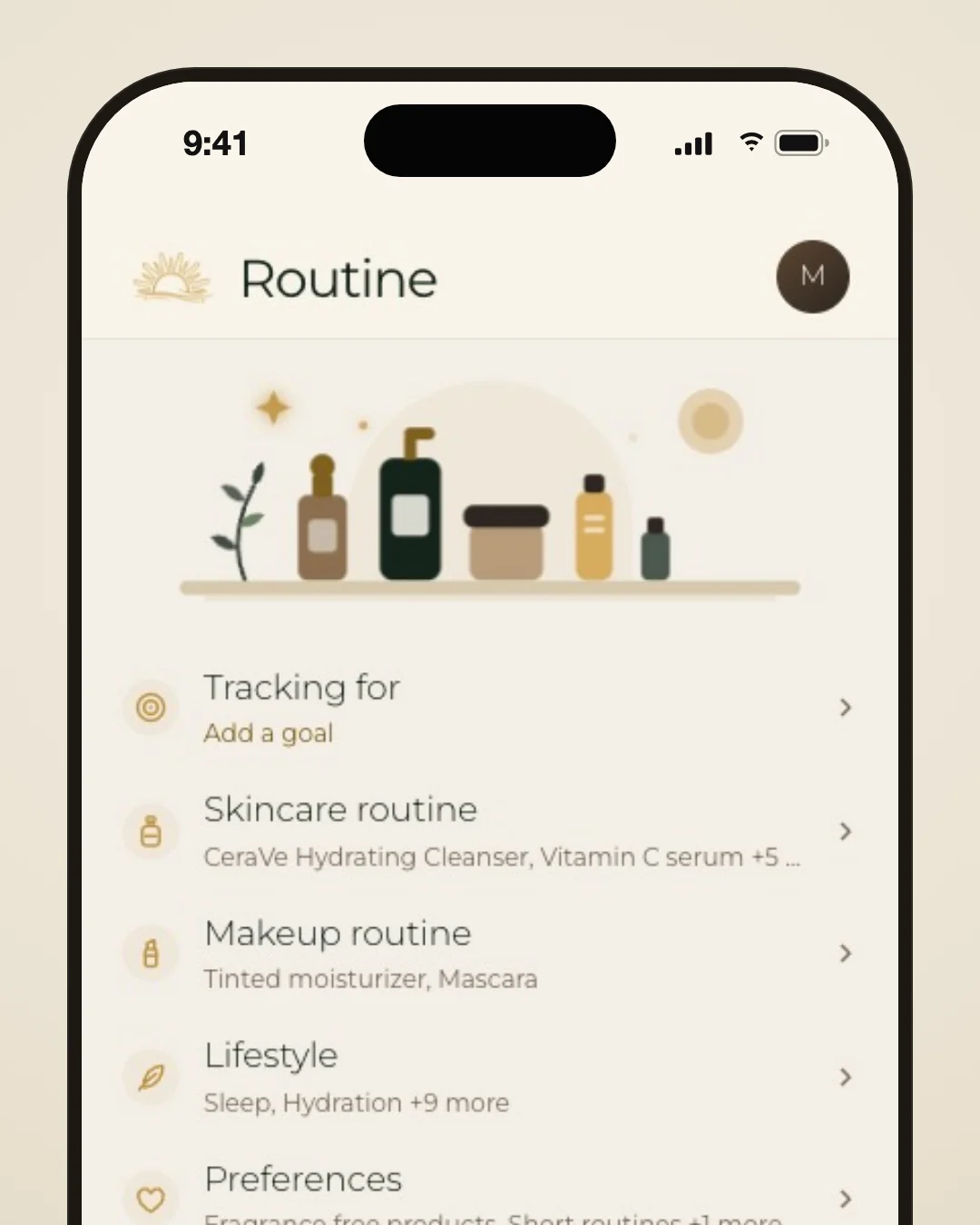
- ImprovedYou can now pick more than one goal under Tracking for in Routine, or choose “Not sure yet” if you are still deciding.
- ImprovedText across the app is now larger and easier to read, and small buttons and chips are bigger, so every control is easier to tap.
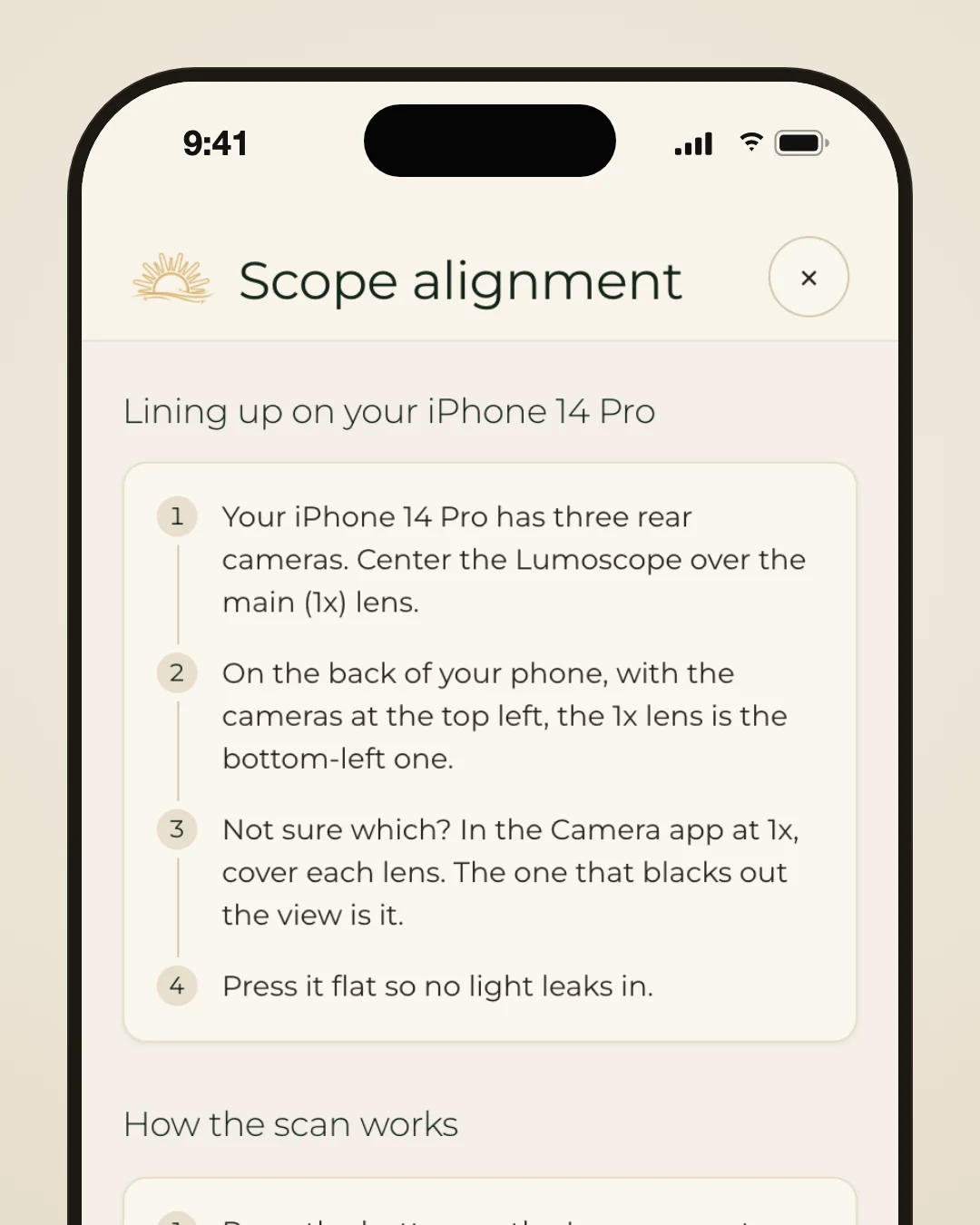
- ImprovedThe scan help page now shows a drawing of the back of your iPhone with its 1x camera circled, so you know which lens to line the Lumoscope up with.
- New
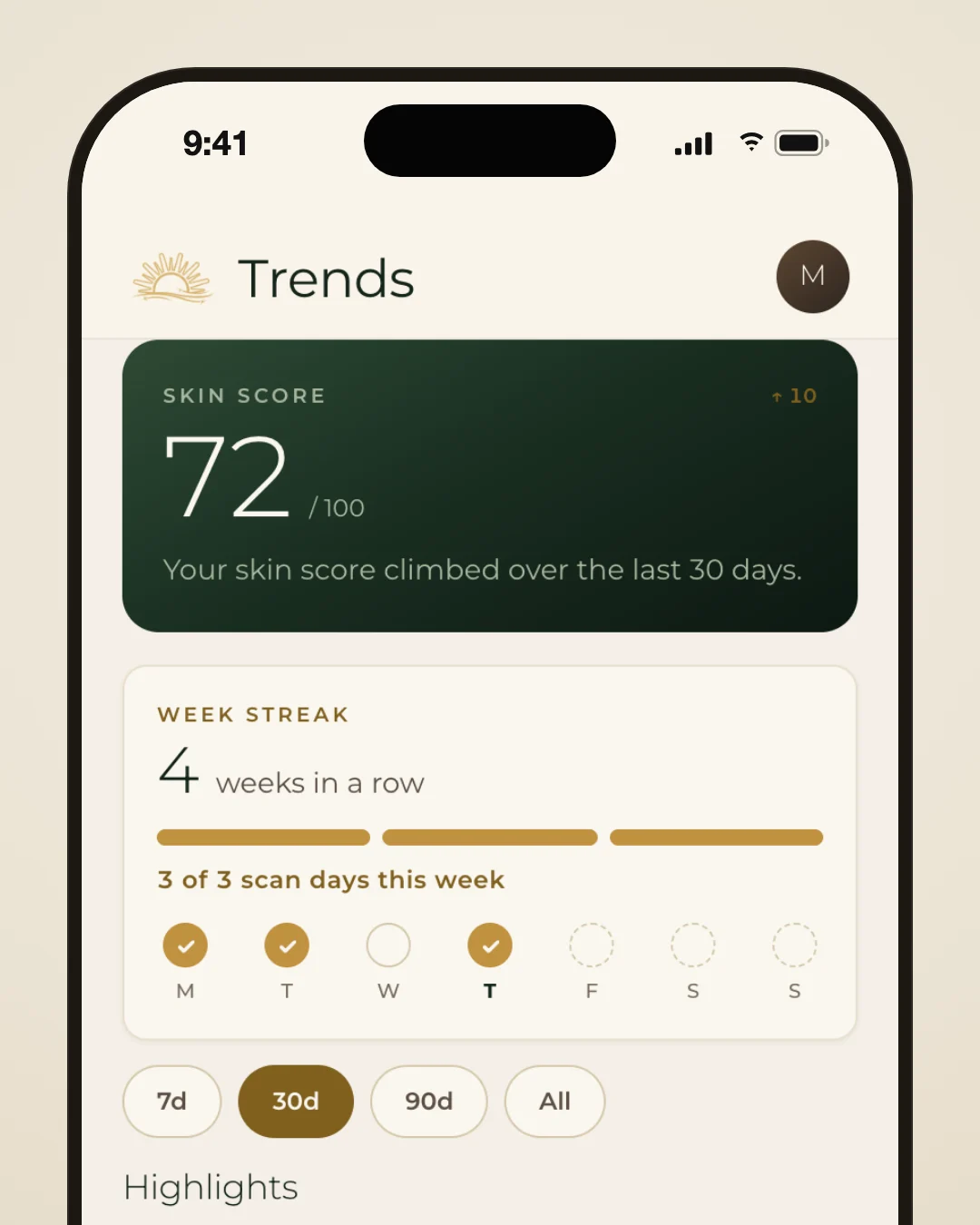
Keep a weekly scan streak
Trends now shows your week streak: how many weeks in a row you have scanned on three different days, with this week's scan days checked off Monday to Sunday. Missed a week? Scan on four days the next week and your streak carries on. Until your first monthly report unlocks, the card also shows your progress toward it.
Also this week
- NewWhen a new weekly or monthly skin report is ready, a card at the top of Trends now says so, once per report, and opens straight to it.
- NewOn the 1st of each month, at your reminder time, you now get a notice when last month's skin report is ready. It is skipped if you have already opened the report.
- NewOnboarding now asks whether you have a skincare routine and what time you do it. Your scan reminders then arrive around your routine time instead of on the hour.
- ImprovedYour weekly scan reminder now tells you where you are: how many days you have scanned this week, or when your last scan was.
- ImprovedFeatures that need more scans now say so where they sit: “Calibrating” while they learn your usual readings, or how many more scan days they need. History marks the scan that unlocked each one.
- ImprovedYou can now change every onboarding answer later. Add routine times under Skincare routine, set your skincare know-how in Preferences, and update the rest in Edit profile.
- ImprovedUpgrading to Premium in the app now offers monthly or yearly billing, with the price per month or per year shown beside each plan.
- ImprovedA new scan is now saved on your phone as soon as it finishes and its photos upload afterwards, so you can close the app without waiting. Scans you delete stay deleted, even offline.
- New
Scanning help for your iPhone
Tap “Need help?” at the bottom right of any scan to open a help page with the tutorial video, steps for lining up with your iPhone and tips for keeping the Lumoscope on your skin. On most recent iPhones it names the lens to cover. When you're ready, “Back to scanning” starts a fresh scan.
Also this week
- ImprovedThe walkthrough after sign-up now covers every main feature, including product scanning in your routine and Connected data in Settings, then shows a “What to expect” timeline of what unlocks as your scans add up.
- ImprovedWe added more products to the catalog, including more sunscreens and more budget-friendly picks. Your recommendations now draw from across many more brands instead of the same small handful.
- ImprovedText sizes now follow fewer, clearer steps, and the spacing between sections and buttons is the same on every screen, so pages are easier to scan and nothing looks crowded.
- ImprovedIf a scan's photos do not show skin, the app will not save it and asks you to retake. The scan tips now remind you to place the Lumoscope on your skin before the photos start.
- New
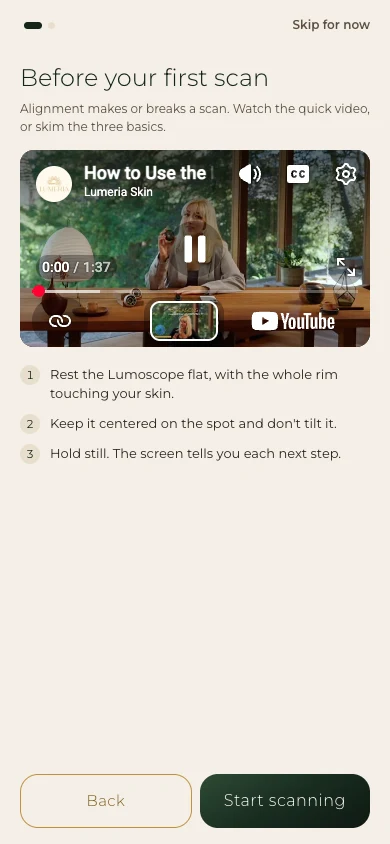
Alignment tips before your first scan
Before your first scan, you now see the tutorial video with three alignment basics: keep the Lumoscope flat, centered and still. It means your first scan starts with the essentials fresh in mind, and you can skip it. The same tips sit under the video in the Settings tutorial.
Also this week
- NewYour scan prompts have a new upbeat, friendly voice, from placing the Lumoscope on your skin through centering and trying again.
- ImprovedIn your skin report, “What moved together” stays locked until you have enough days to compare. Each row shows how many more scan days with that check-in logged it needs.
- New
Milestones as your scans add up
Lumeria now notes milestones as your scans add up, like your first comparison in an area or enough scans for your weekly report, with a nudge when you are one scan away. Notes appear with your results and in Trends. Reminders and milestones are under Notifications in Settings.
Also this week
- ImprovedIf something goes wrong while the app is opening, you now see what happened and a “Reload” button instead of a blank screen.
- New
Set what you are tracking for
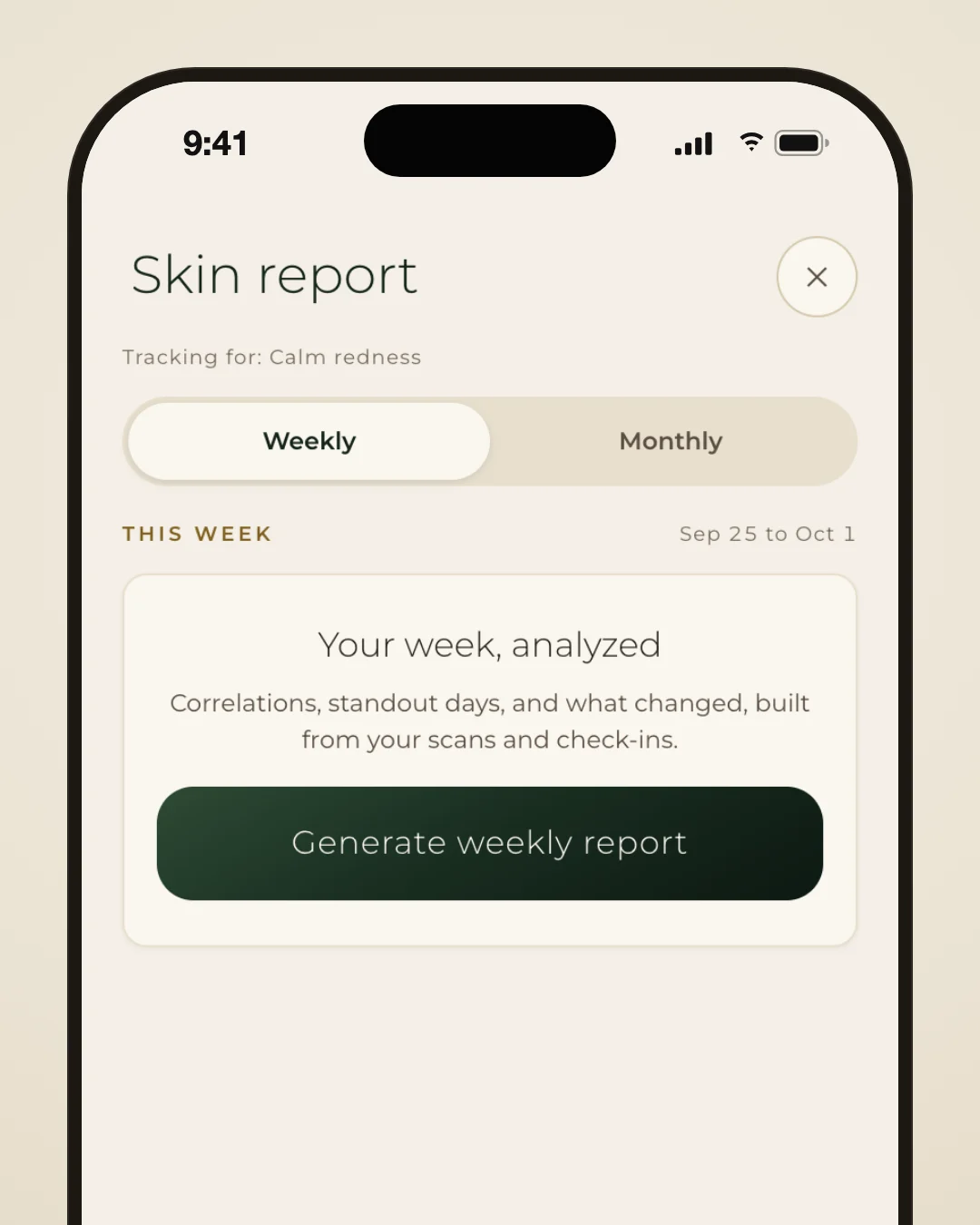
Tell Lumeria what you are tracking for, during sign-up or later in About my skin. Your skin report then opens with your goal, and the connections that relate to it come first. Change or clear it any time, or choose “Just curious.”
Also this week
- NewThe whole app now uses a single typeface, and a new flat sun mark sits at the top of every screen, so text and branding look cleaner and more consistent.
- ImprovedYour profile picture now sits in the top corner of the screen. The tab bar holds Trends, History and Routine, and Scan has its own round button beside it that opens the camera in one tap.
- ImprovedIn each scan report, your readings card now sits right under your photos, above the plain-language summary, so the numbers are the first thing you see.
- Improved
Scan results at a glance
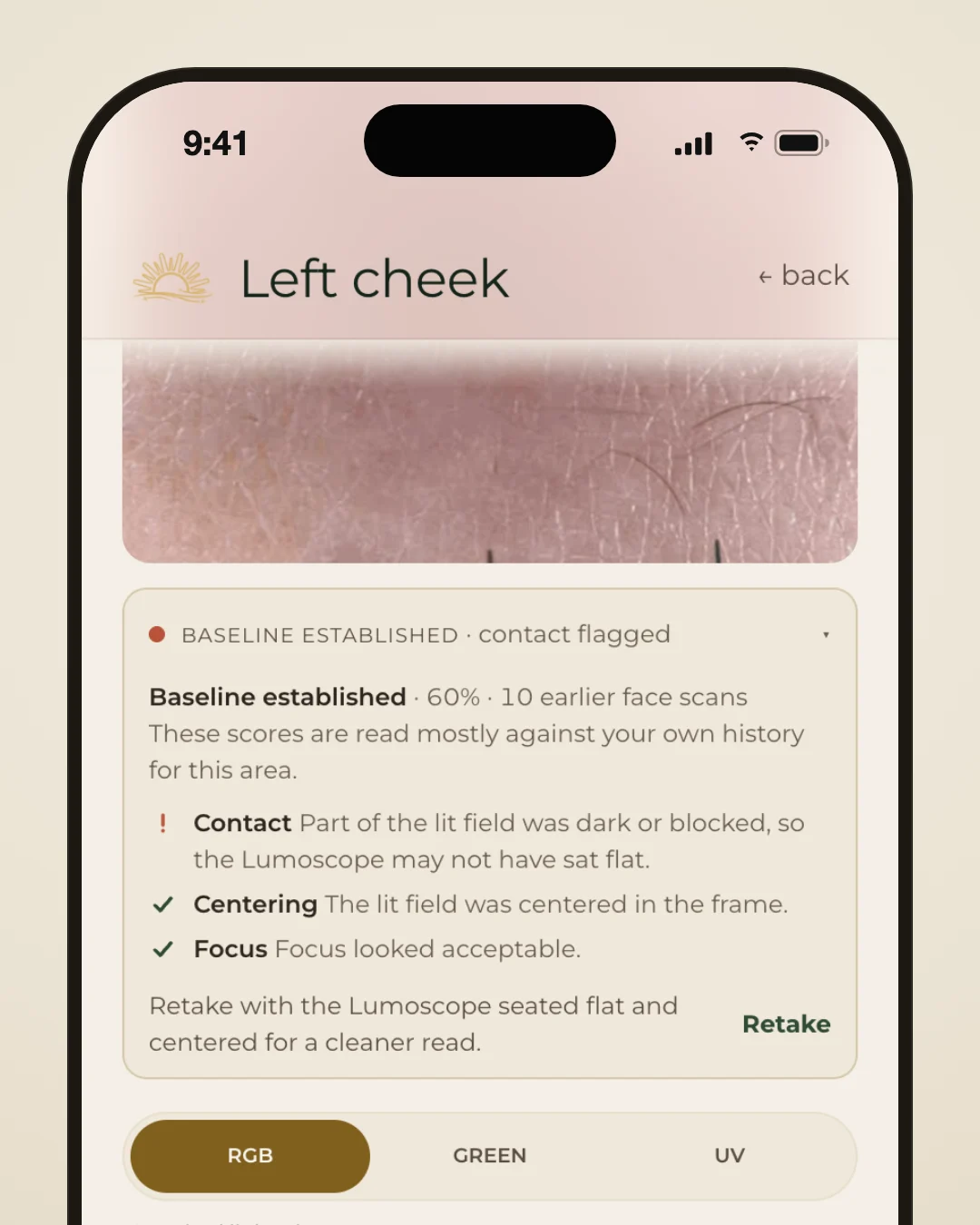
Each scan result now leads with a few short key points, with the full write-up a tap away. Under your photo, a quick check shows whether contact, centering and focus looked right, with a Retake button when one did not pass.
Also this week
- ImprovedThe written summary on your scan now loads more reliably. If it ever fails, retrying fetches a fresh one instead of leaving that part of the page blank.
- ImprovedThe tab bar now floats as a frosted glass capsule and the header is glass too, so your content shows through as you scroll. Ask Lumi got the same look.
- ImprovedSmall text is easier to read against tinted backgrounds, and buttons, links and close controls have bigger tap areas, so you hit what you mean the first time.
- Improved
A Routine page that moves
The scene at the top of your Routine page now moves: the sun glows softly, the sparkles twinkle and the leaf sprig sways. It's a small, calm touch that makes the page feel alive. If Reduce Motion is on, it stays still.
Also this week
- ImprovedYou can now press a tab and slide your finger along the bar, with a soft highlight following you. The app switches tabs when you let go, and sliding away cancels.
- ImprovedPressing and holding a tab or a History card no longer pops up a web-style preview.
- Improved“What moved together” in your skin report now counts each day only once, so its progress is accurate. Check-ins also ask first about the pairings closest to unlocking, so they unlock sooner.
- New
Scan specific areas of your face
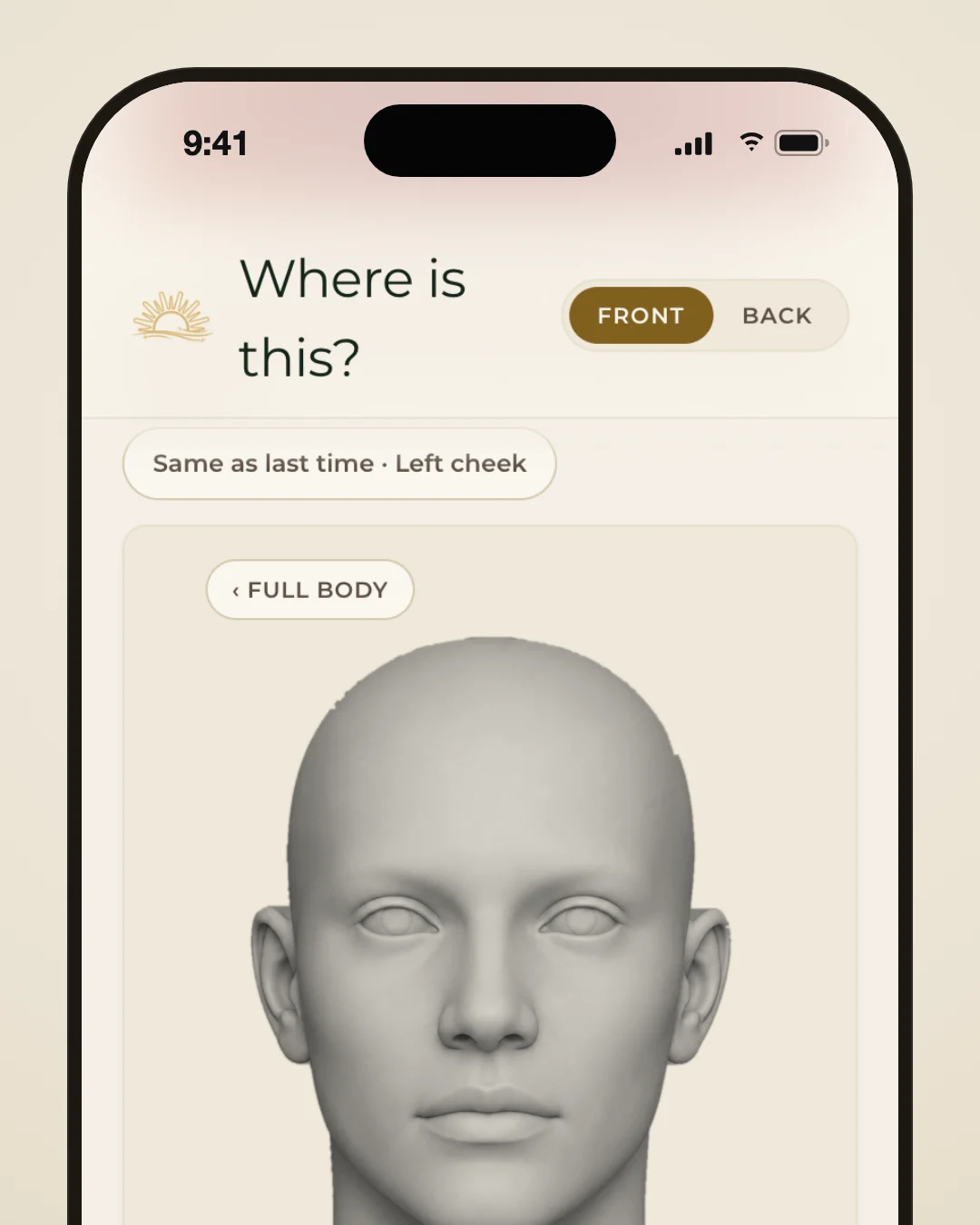
When you scan your face, you can now pick a specific area such as your forehead, a cheek, your chin, your jawline or a brow. The picker opens on your face, and “Full body” takes you back to the whole figure.
Also this week
- NewThe product catalog grew, with more cleansing balms and oils, masks, essences and sunscreens, so your picks come from a much wider range.
- NewA video tutorial now plays before your first scan, at the end of the app tour. You can skip it any time, and rewatch it later from “Scan tutorial” in Settings.
- ImprovedYour scan summary no longer invents something to fix when nothing stands out. Check-in answers more than a few days old stop shaping it, and a quick rescan is treated as a re-check.
- ImprovedThe 3, 2, 1 countdown is gone. Once the Lumoscope is on your skin, the screen says “Skin detected, hold steady.” and the photo is taken after a brief pause.
- ImprovedWhen a scan finishes, your score counts up on screen, next to how it compares with your last scan of that area. A “Scan this area again” button sits at the end of the page.
- ImprovedTapping Scan now opens the camera right away, with no landing page in between. The app itself opens on Trends, and canceling a scan takes you back where you were.
- New
UV light in your scans
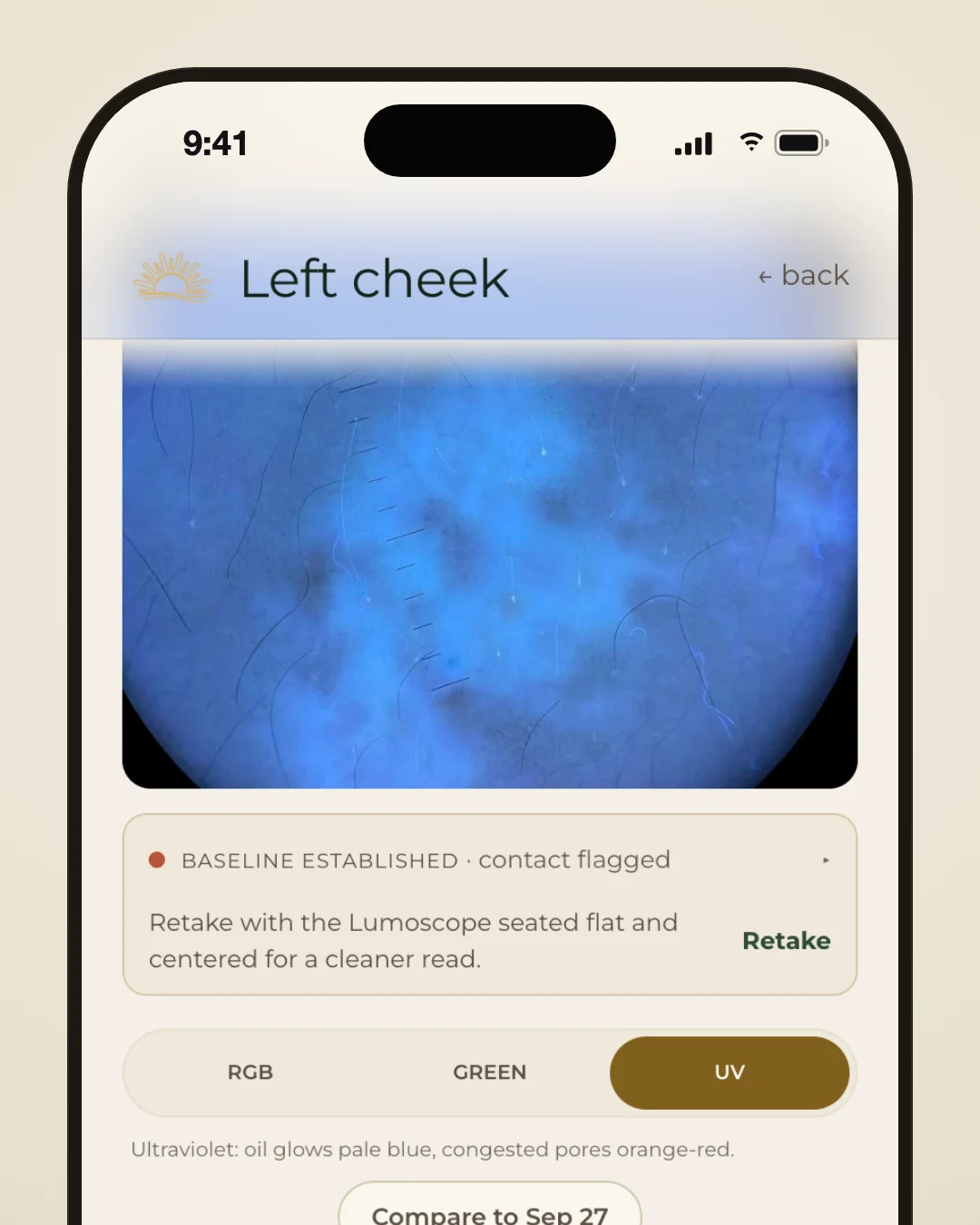
Scans now add a photo under the Lumoscope's UV light. A voice cue tells you when to press the button again. Your UV photo then shows up in your scan results, and History marks the scans that include one.
- New
A home for past scans
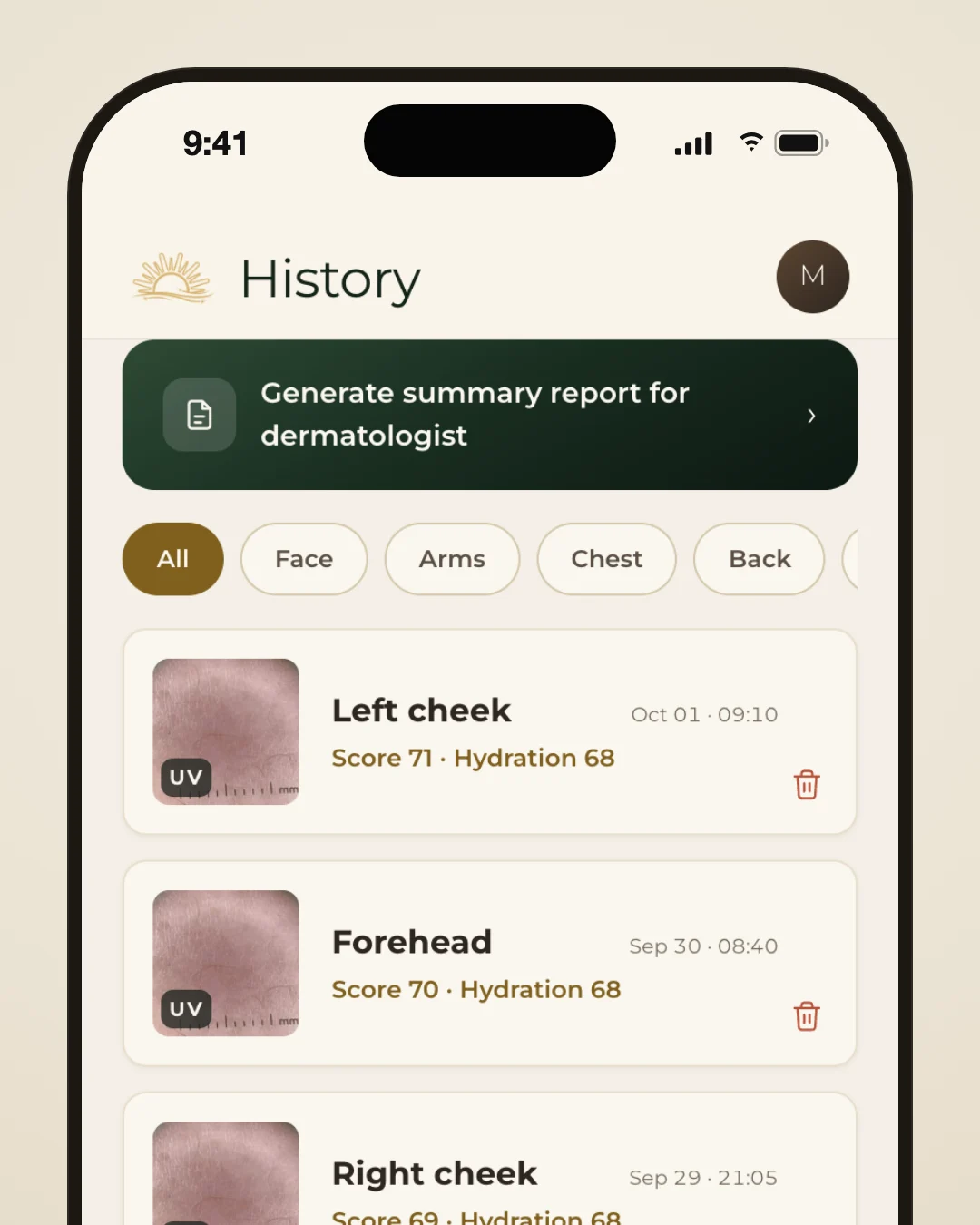
Past scans now have a tab of their own. History lists every scan, lets you filter by area of the body, export a PDF report and delete scans you don't need. Trends stays focused on your score and charts, and Ask Lumi now lives on the Routine page.
Also this week
- NewOnboarding now asks how much you like to spend on a product, and your picks stay within that range. Your app settings moved from Profile to their own Settings page.
- ImprovedGenerated routines can now add a midday step, like a moisturizer top-up or a sunscreen reapply. In your evening routine, an “Every other night” toggle marks products you alternate.
- ImprovedYour skin report now switches between Weekly and Monthly, and shows up to two “What stood out” cards. Each change comes with the day it happened and what you logged that day.
- ImprovedThe gold centering ring you line the Lumoscope up with now fills nearly the whole screen width, so it's easier to match during setup and when you recalibrate from your profile.
- New
A routine built from your scans
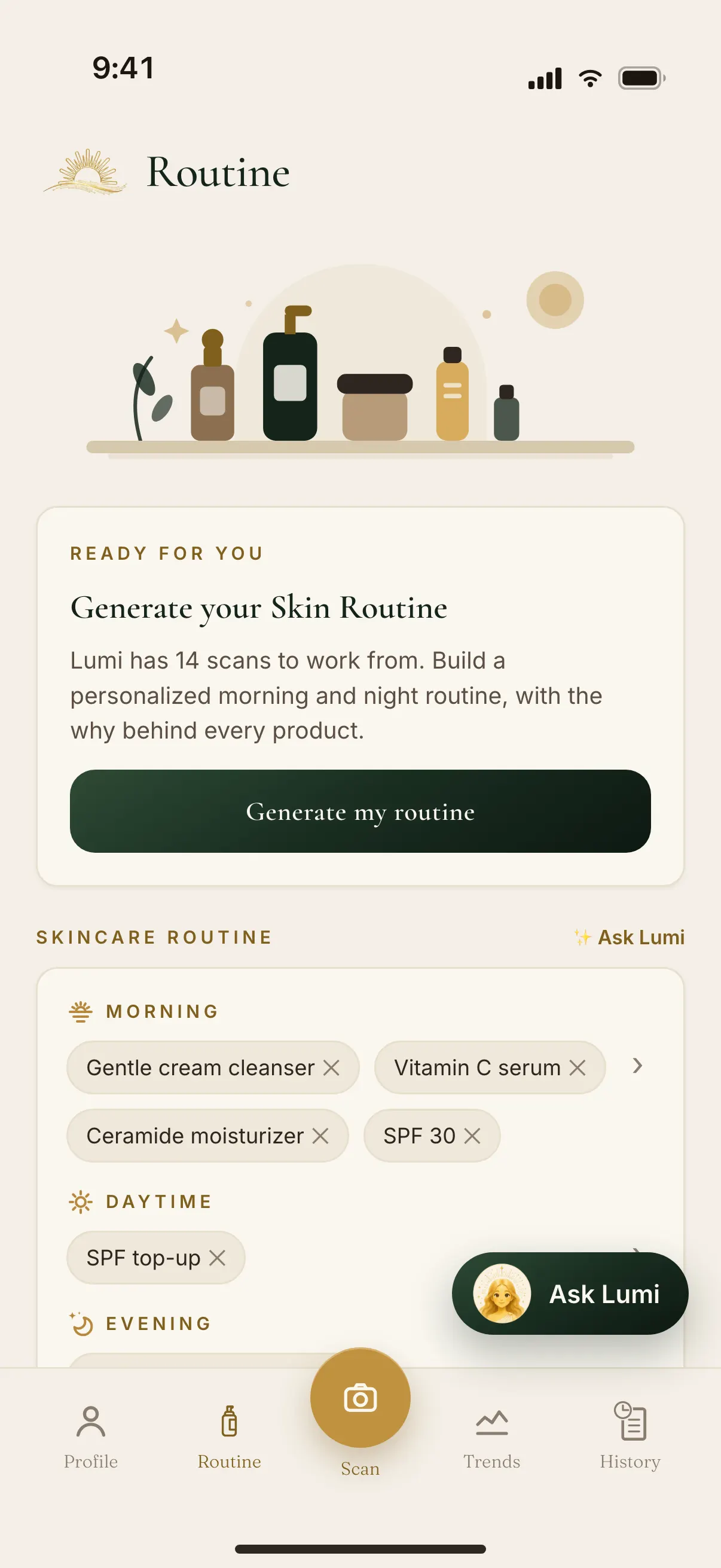
Once you have three scans, you can build a skin routine made for you, with morning and evening steps. Each step says why it's there, you can swap in alternatives, then add it all to your routine. Find it at the top of the Routine page.
Also this week
- NewA new skin report, opened from Trends, recaps last month's readings, with a badge when a new month is ready. You can also make a weekly report whenever you like.
- NewYou can now pick Nose as its own scan area by tapping the middle of the face on the body map, and it shows up separately in Trends, History and Compare.
- NewAfter sign-up, Lumi now walks you through each tab and highlights one thing on each, ending on Scan so your first scan is one tap away. Replay it any time from Settings.
- ImprovedScan voice prompts no longer trail off into long silences, and you hear a shutter click on every photo, so you know each one landed.
- ImprovedOpening the app now shows the gold Lumeria logo on our warm cream background from the very first frame, instead of a generic placeholder logo.
- ImprovedWhen you rerun onboarding, your saved answers are already filled in, so you change only what you want. Skipping keeps everything as it was instead of wiping it.


Keep Exploring
How Lumeria WorksScan, answer a few questions, and see what your routine is actually changing.BlogWhat longitudinal skin data actually tells you about your routine.Frequently Asked QuestionsPlain answers about skin tracking, the device, accuracy, and privacy.Buy the Lumeria LumoscopePre-order the Lumoscope: $299 (regular price $329).